Install & Run
Quickstart
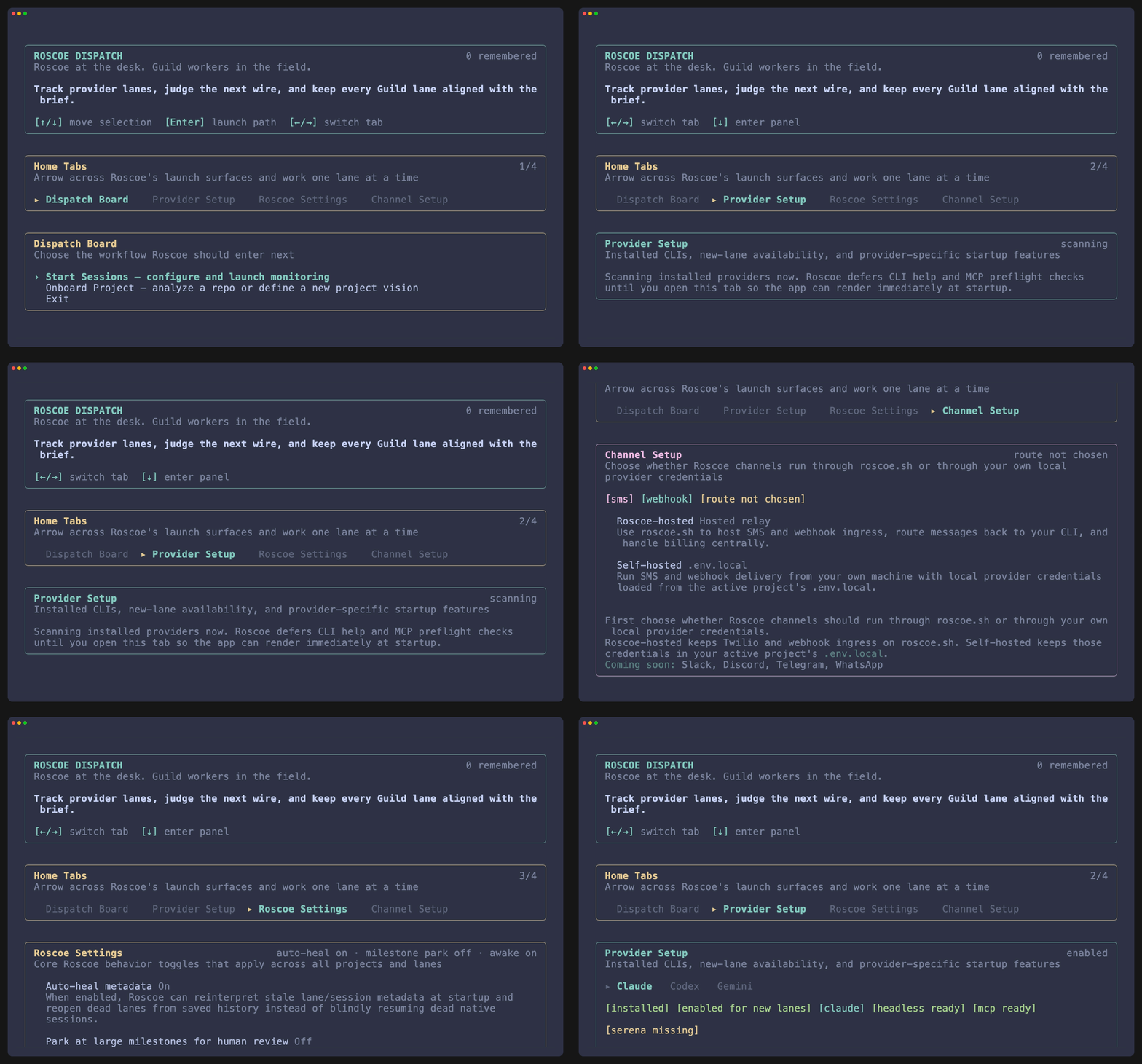
Section titled “Quickstart”npm install -g @roscoesh/cliroscoeThat is the shortest useful path. Install once, open the TUI, and start from the dispatch board.
What happens first
Section titled “What happens first”New repo
Choose Onboard Project and let Roscoe build the project contract before you launch any implementation lanes.
Existing repo
Choose Start Sessions, review the saved brief, then launch the main repo or a task worktree.
Shell discovery
Use roscoe —help when you need the explicit command surface for scripting or direct lane entry.
Recommended first session
Section titled “Recommended first session”- Install the CLI globally.
- Run
roscoe. - If the repo has never been onboarded, choose Onboard Project.
- If the repo is already onboarded, choose Start Sessions.
- Stay in the TUI unless you specifically need direct CLI commands.
Commands worth knowing early
Section titled “Commands worth knowing early”| Command | Use |
|---|---|
roscoe | Open the home TUI. |
roscoe --help | List supported subcommands and flags. |
roscoe onboard /path/to/project | Run onboarding directly from the shell. |
roscoe profiles | Check which provider and auth profiles Roscoe can see. |